
DS Screener
A real-time market screening dashboard – futures, stocks, options and forex – that you arrange like a trading hub.
- 32 screening strategies
- Every market, one window
- Saves itself instantly
- Dark and light themes
Risk disclosureChart pictures are illustrations of the software, not a performance record. Futures trading carries substantial risk of loss and is not suitable for every investor, and hypothetical or simulated results have inherent limitations that may differ materially from live trading. Read them in full.
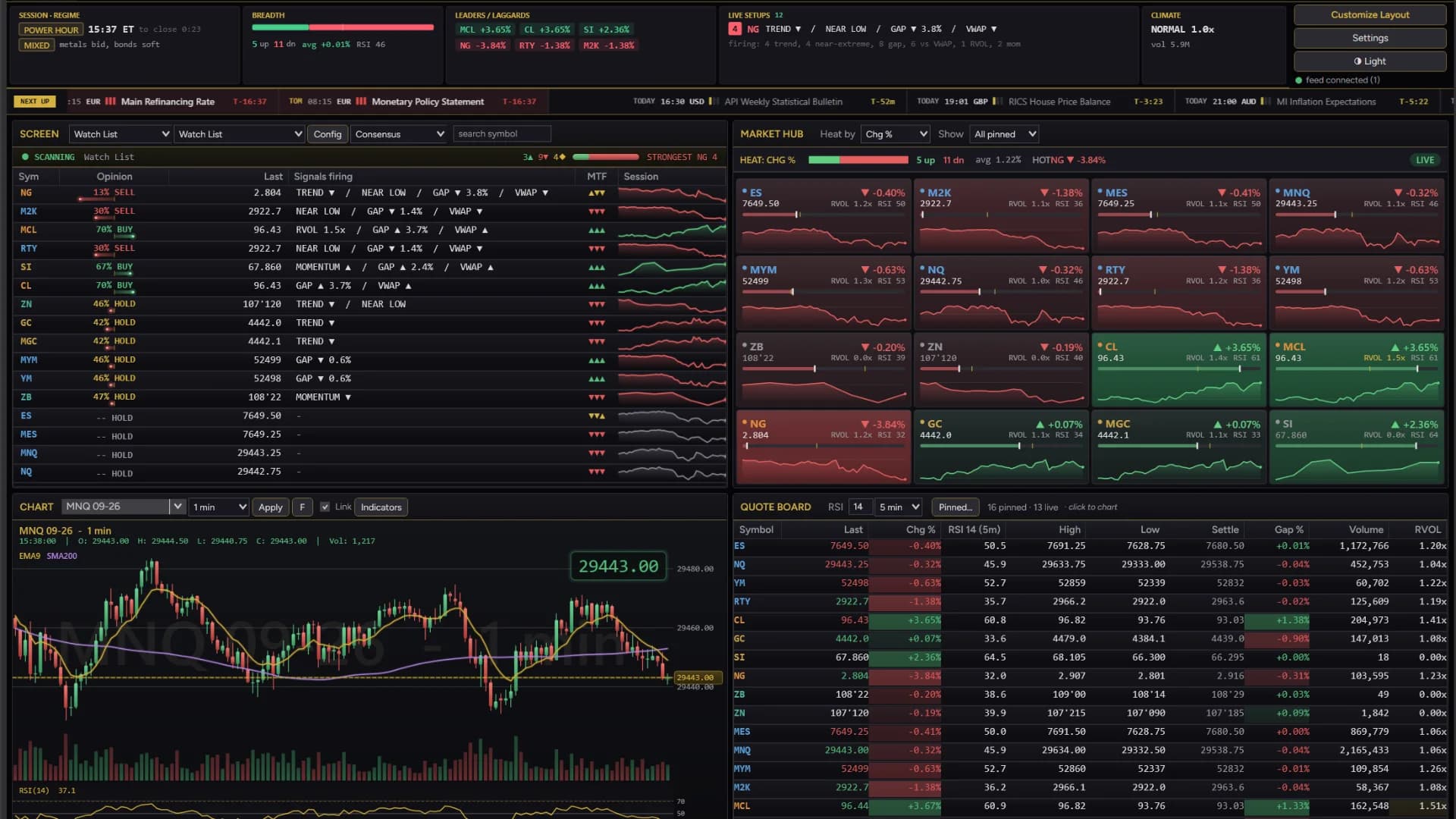
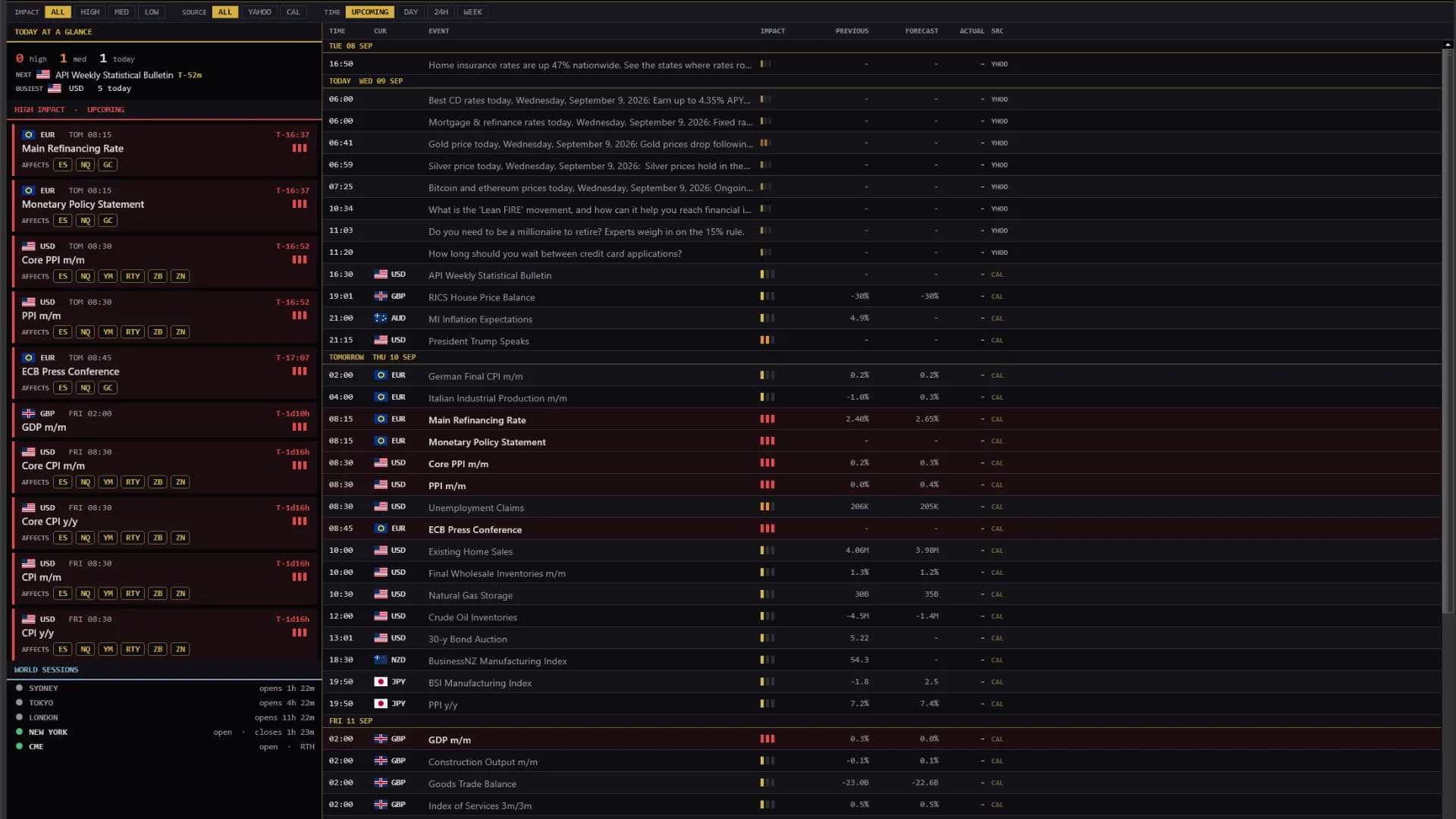
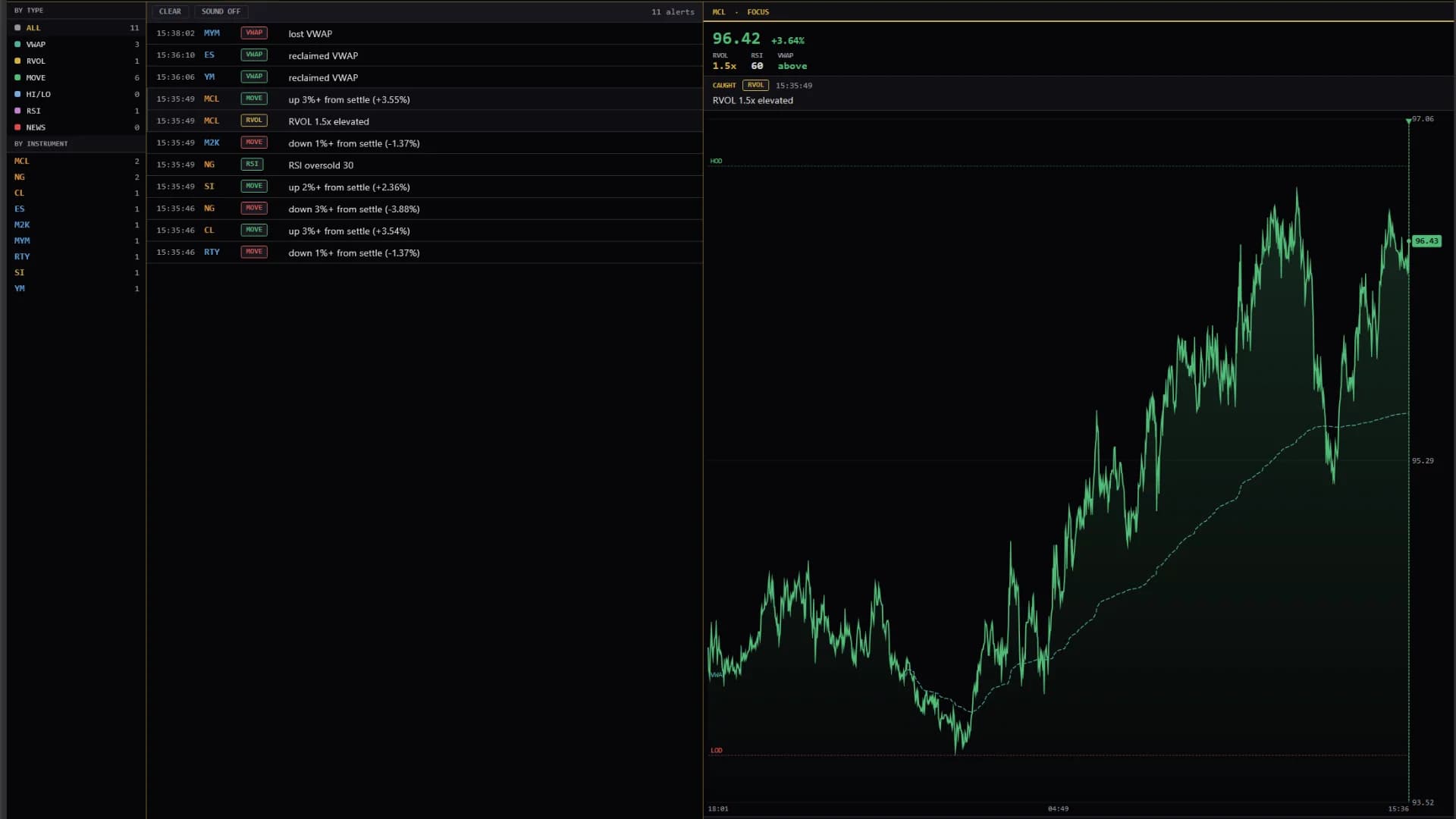
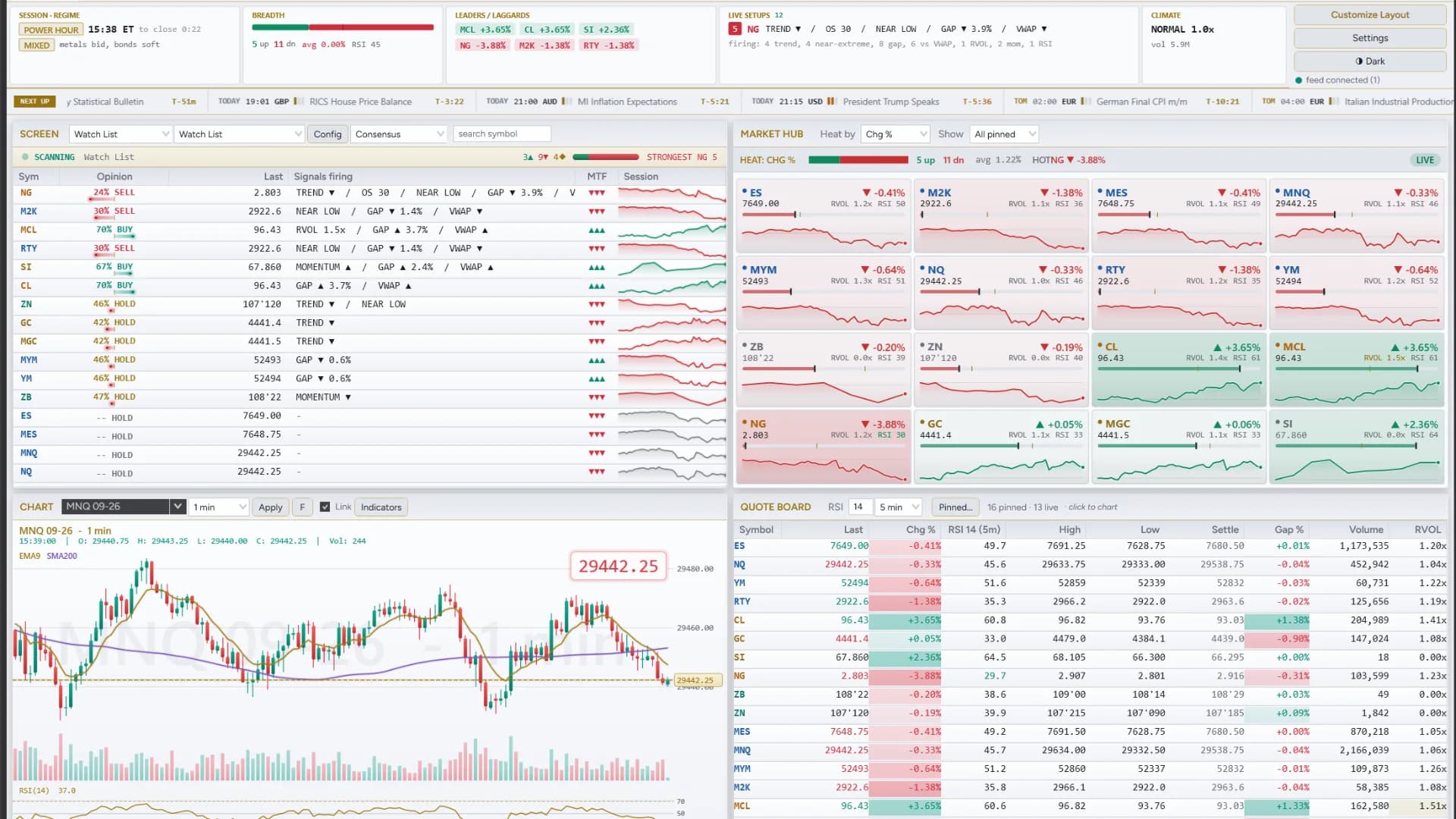
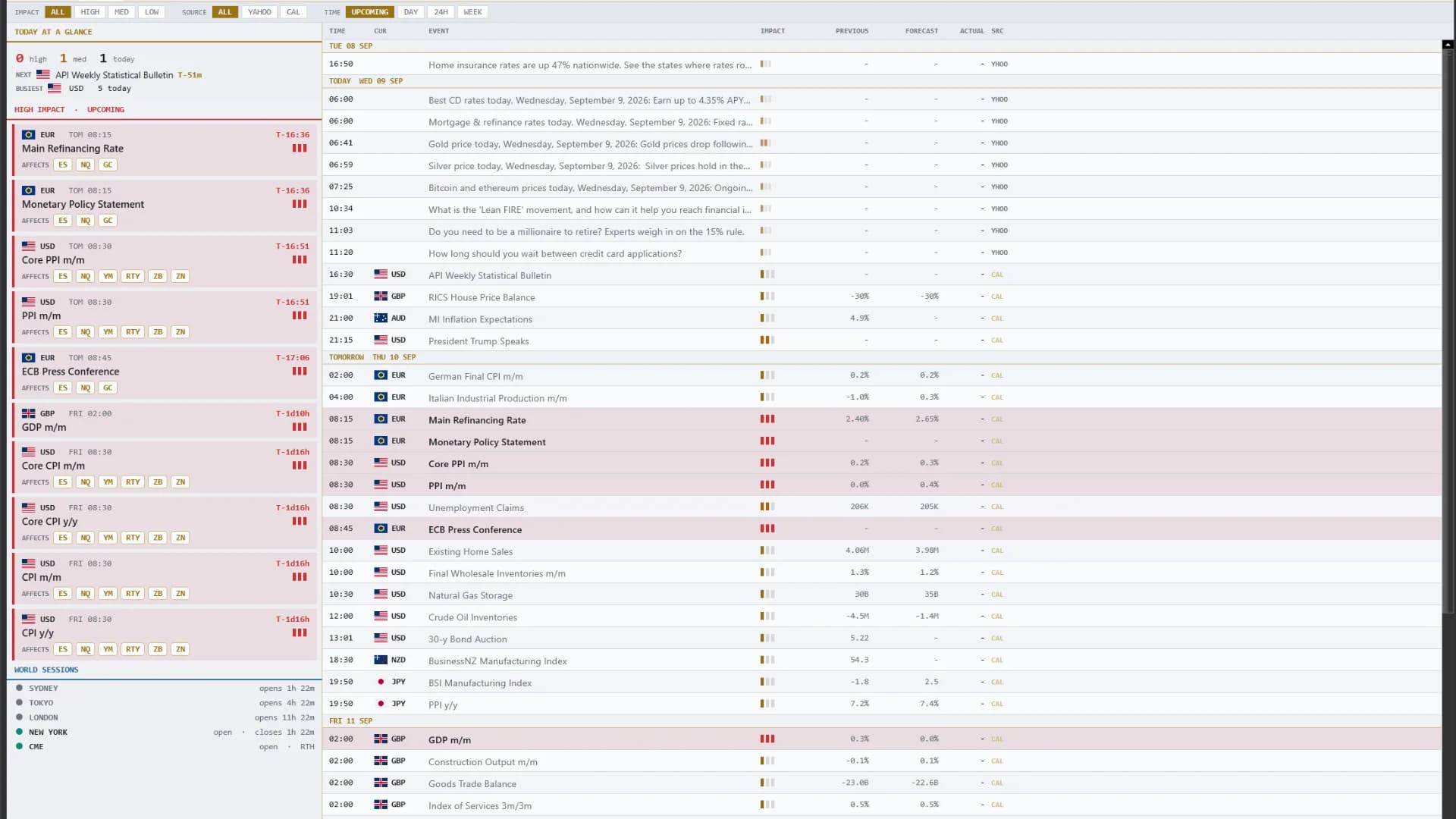
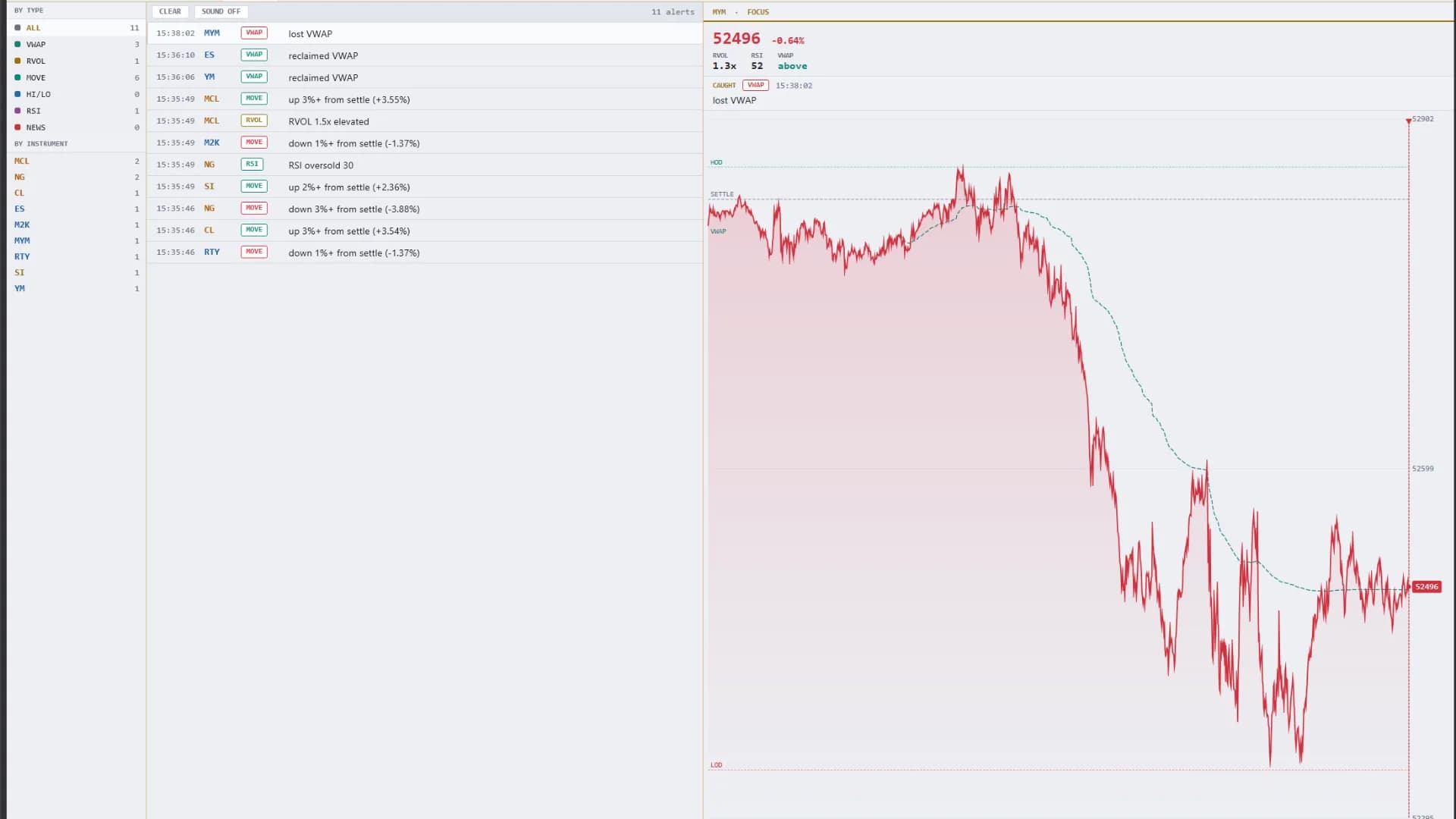
The full board — heat map, movers, quote board and chart
How it helps
- Type
- Add-on
- Category
- Screening & Dashboard
- Platform
- NinjaTrader 8
One window replaces a wall of them: a quote board for every instrument you pin, 32 screening strategies, live mini charts, a market heatmap, a built-in news and economic-calendar terminal, plus correlation and cointegration tools. Drag any panel anywhere, and every customisation saves itself the moment you make it.
One payment, not a subscription. Later versions included.
Opening soon. Joining costs nothing and charges nothing — you are told the day it opens.
DS Universe tools are charting and research software for educational and informational purposes. They are not investment advice and no output is a forecast or a guarantee of any result. Trading futures and other leveraged instruments carries substantial risk of loss and is not suitable for every investor.
In detail
One window instead of a wall of them.
A screening terminal you arrange like a desk: a 1–6 column grid holding a quote board, screeners, live charts, a heat map and a news feed — all on NinjaTrader's own data.
Inside the grid
- 32 screening strategies — price, volume and level tests plus VWAP, RSI, MACD, ADX, SuperTrend and more
- Quote board with change, RSI, gap, volume and time-of-day RVOL for everything you pin
- SCREENER · NEWS · PAIRS · RACE · ALERTS, with a correlation matrix and cointegration lab
- Dark or soft-platinum light theme, one click apart
Every panel, pin and setting saves itself the moment you change it. Futures, stocks, options and forex all stream the same way. It screens the instruments you pin — NinjaTrader exposes no market-wide scan. A live feed is required.

Test it on your own charts first.
Four screenshots and a paragraph are not enough to judge an indicator on. Watch it work in your own instrument, on your own timeframe, before it goes anywhere near a live account. Both ways of doing that are free.
- 01
Replay a session you have already seen
Market Replay runs a past session back tick by tick, at whatever speed you like. You get to watch DS Screener print in conditions you remember, and pause on the bars where it mattered.
- 02
Then trade it forward, on the simulator
Replay shows you the past with the ending already known. The simulator does not — it runs live, in real time, on real prices, with nothing at stake. That is where you find out whether you can actually act on what you are seeing.
A simulated fill is not a live fill. Replay and the simulator cannot reproduce real queue position, slippage, or what it feels like to hold a position with money on it, and results from either may differ materially from live trading. Test to learn how a tool behaves — not to estimate what it might return.
More add-ons
Screening & Dashboard
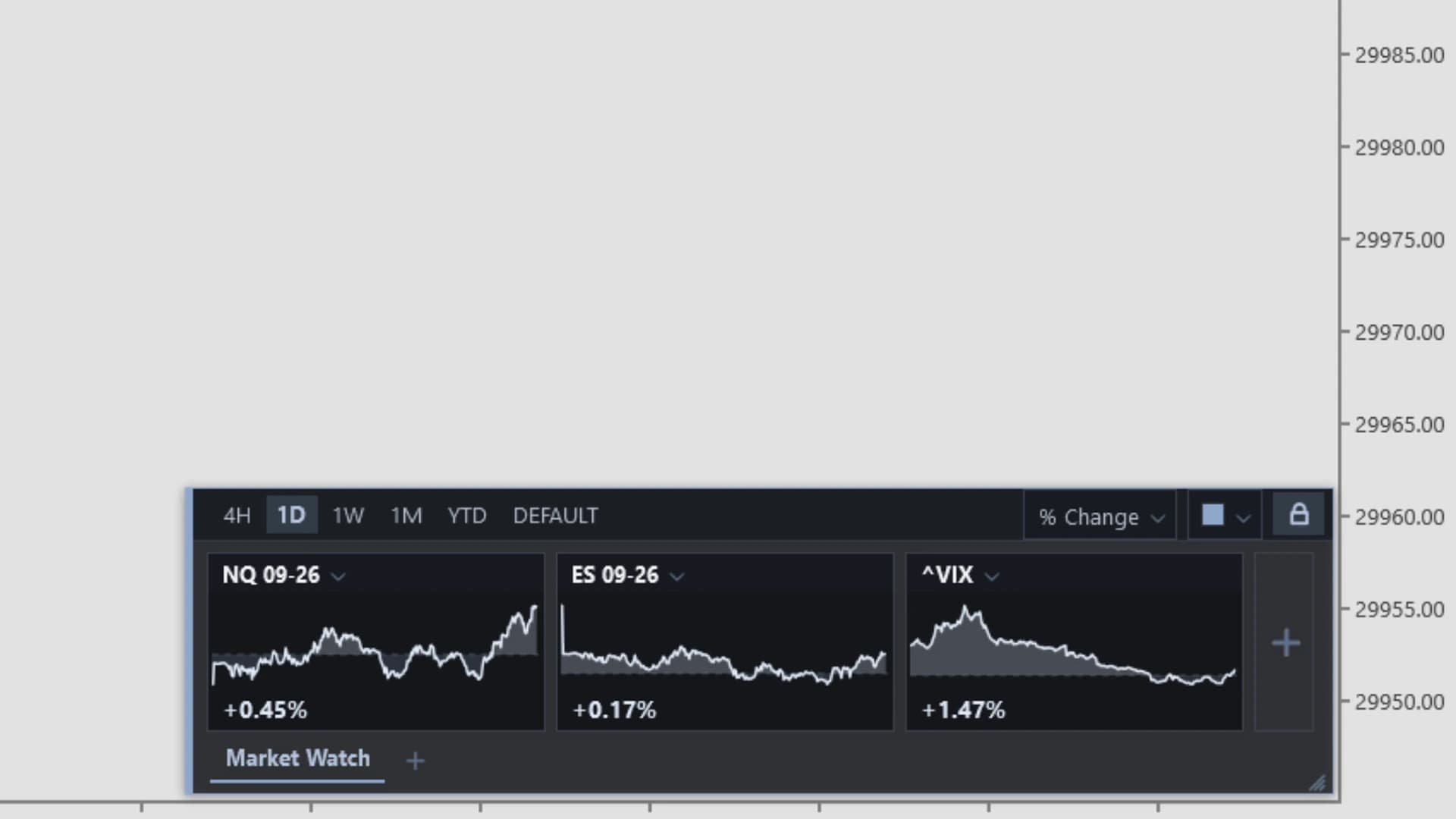
DS MarketWatch
A floating, draggable market-watch panel of live mini charts on every chart – the on-chart alternative to a second window.
Learn more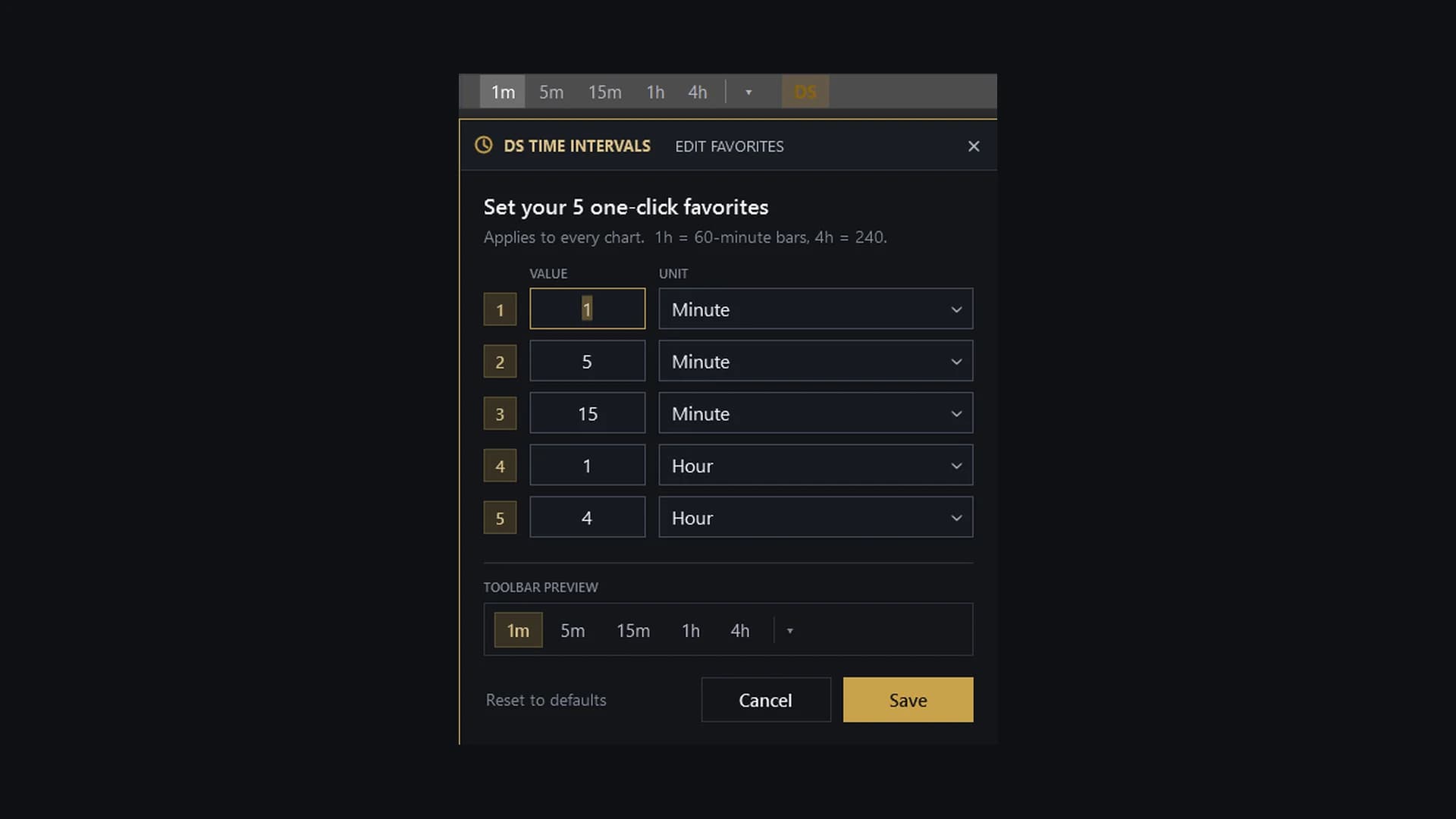
Workflow & Control
DS Time Intervals
A one-click timeframe bar on the top toolbar of every chart, so you switch periods without opening the native dropdown.
Learn more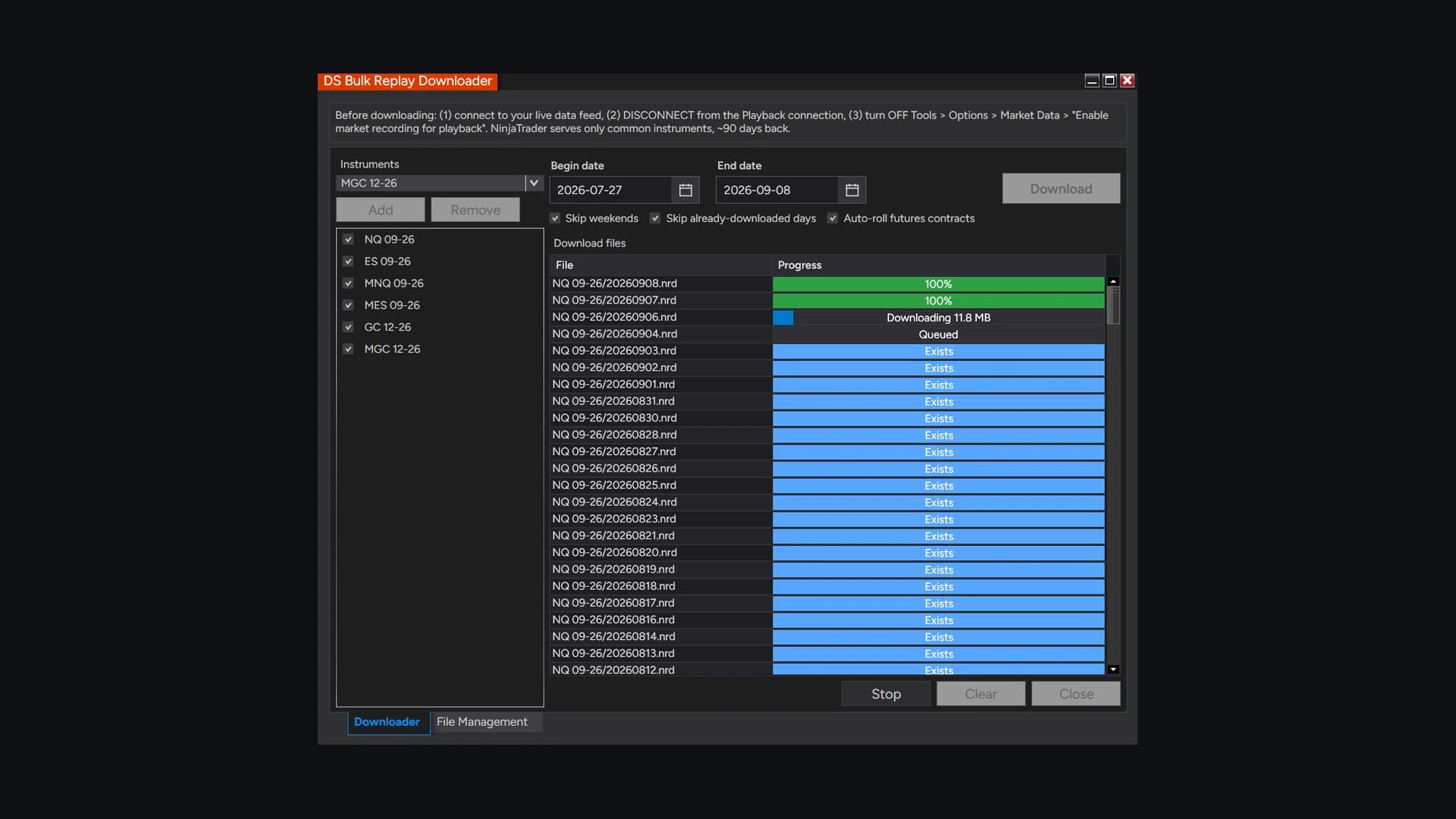
Data Utility
DS Bulk Replay Downloader
Bulk Market Replay downloading – many instruments across a full date range in one queued run, instead of one instrument and one day at a time.
Learn more