
DS Bulk Replay Downloader
Bulk Market Replay downloading – many instruments across a full date range in one queued run, instead of one instrument and one day at a time.
- Bulk replay downloads
- Whole date ranges
- Skips what you have
- Playback-ready files
Risk disclosureThese are screen recordings of the software, not a performance record. Futures trading carries substantial risk of loss and is not suitable for every investor, and hypothetical or simulated results have inherent limitations that may differ materially from live trading. Read them in full.
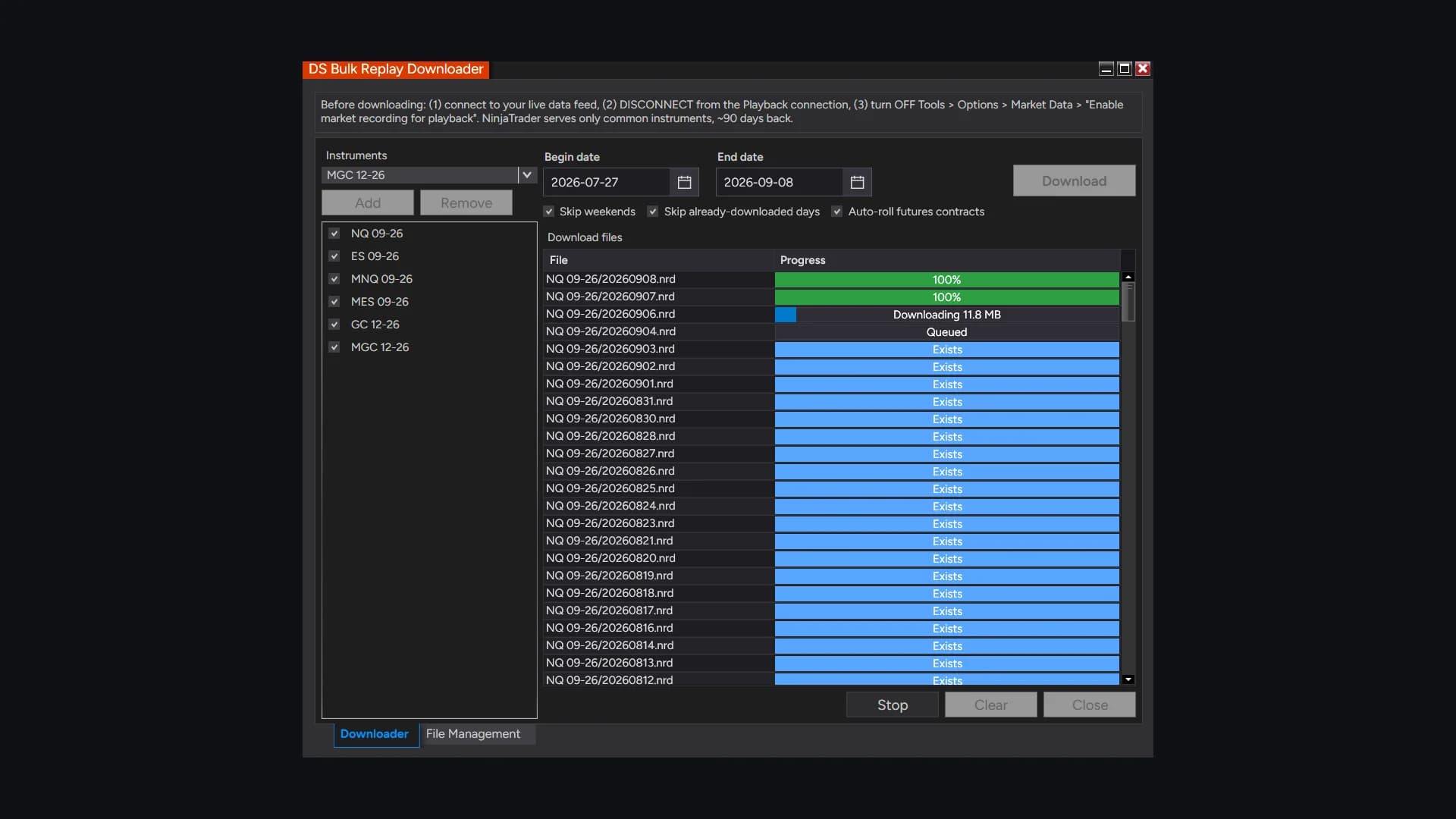
Downloading a month of market replay data
How it helps
- Type
- Add-on
- Category
- Data Utility
- Platform
- NinjaTrader 8
Building a replay library by hand is an evening's work for a week of data. Queue every instrument and every date you want, start it, and watch a per-file progress list fill in – the files land in NinjaTrader's own folder, so Playback picks them up with no extra step.
One payment, not a subscription. Later versions included.
Opening soon. Joining costs nothing and charges nothing — you are told the day it opens.
DS Universe tools are charting and research software for educational and informational purposes. They are not investment advice and no output is a forecast or a guarantee of any result. Trading futures and other leveraged instruments carries substantial risk of loss and is not suitable for every investor.
In detail
Building a replay library one instrument and one day at a time is an evening's work for a week of data.
There is no bulk option in the platform itself. This queues the whole job and shows you a per-file progress list while it runs.
How a run works
- Add instruments, tick the ones you want, set a start and end date, start it
- Files land in NinjaTrader's own replay folder, so Playback finds them with no extra step
- Days you already have are skipped; a truncated file is re-fetched rather than trusted
- Weekends can be skipped — Saturdays only, since Globex opens Sunday evening
It supplies no data of its own and bypasses no platform limit. NinjaTrader serves roughly the last 90 days, so an older start date is moved forward automatically and the change is written to the output window.

Test it on your own charts first.
Four screenshots and a paragraph are not enough to judge an indicator on. Watch it work in your own instrument, on your own timeframe, before it goes anywhere near a live account. Both ways of doing that are free.
- 01
Replay a session you have already seen
Market Replay runs a past session back tick by tick, at whatever speed you like. You get to watch DS Bulk Replay Downloader print in conditions you remember, and pause on the bars where it mattered.
- 02
Then trade it forward, on the simulator
Replay shows you the past with the ending already known. The simulator does not — it runs live, in real time, on real prices, with nothing at stake. That is where you find out whether you can actually act on what you are seeing.
A simulated fill is not a live fill. Replay and the simulator cannot reproduce real queue position, slippage, or what it feels like to hold a position with money on it, and results from either may differ materially from live trading. Test to learn how a tool behaves — not to estimate what it might return.
More add-ons
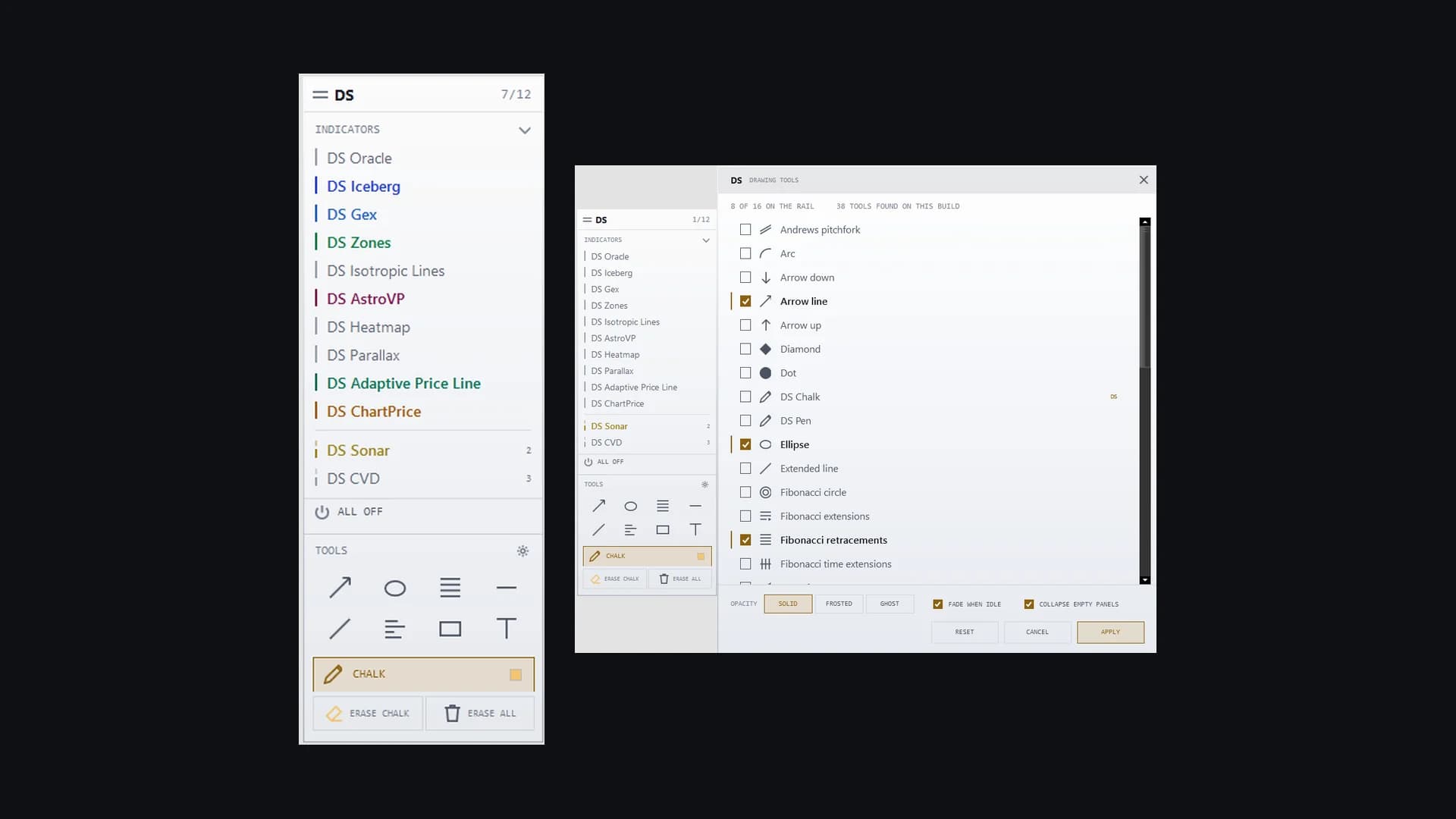
Workflow & Control
DS Toolkit
One translucent rail on your chart: every DS indicator as an on/off row, your drawing tools underneath, and freehand chalk at the bottom.
Learn more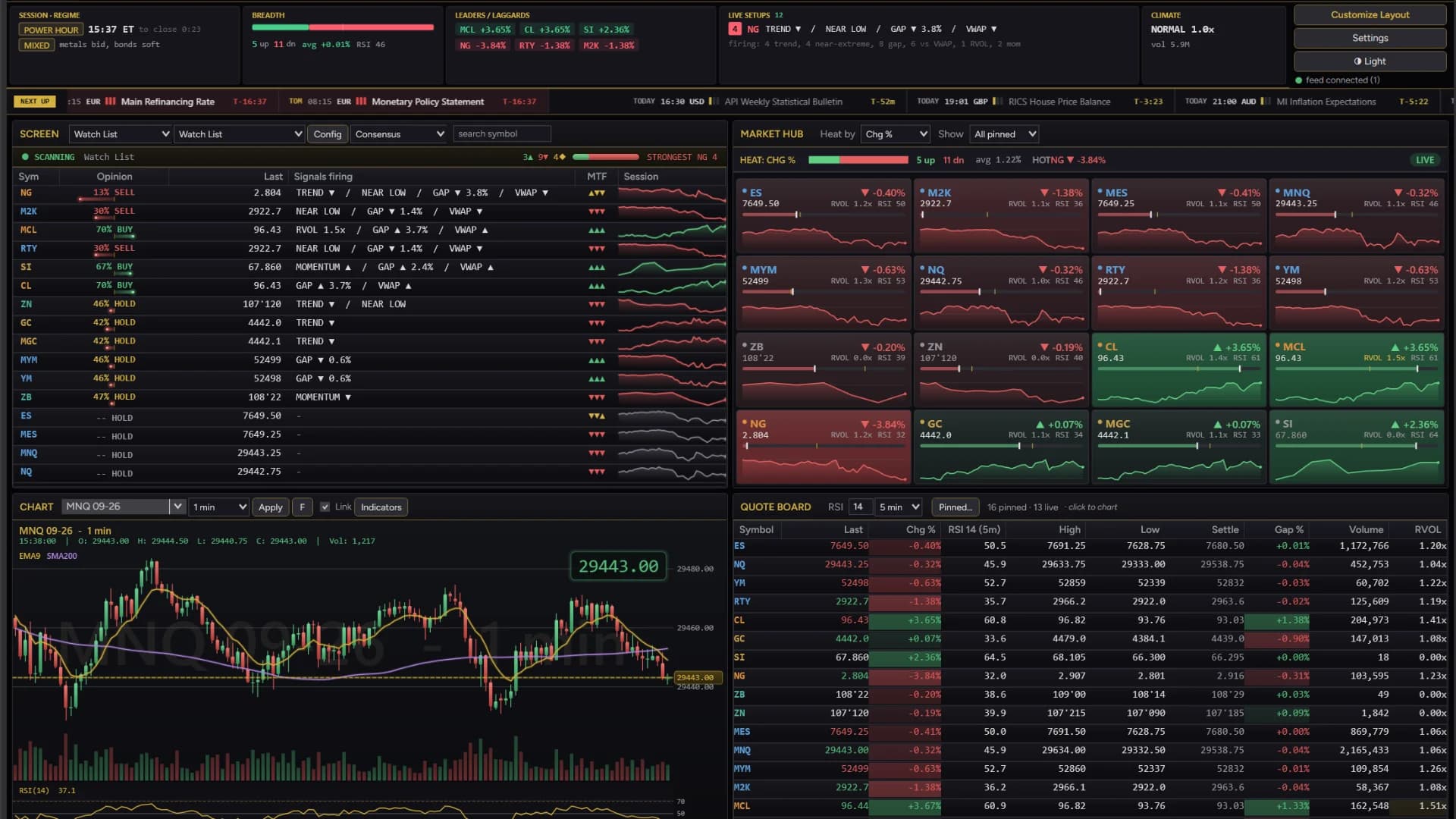
Screening & Dashboard
DS Screener
A real-time market screening dashboard – futures, stocks, options and forex – that you arrange like a trading hub.
Learn more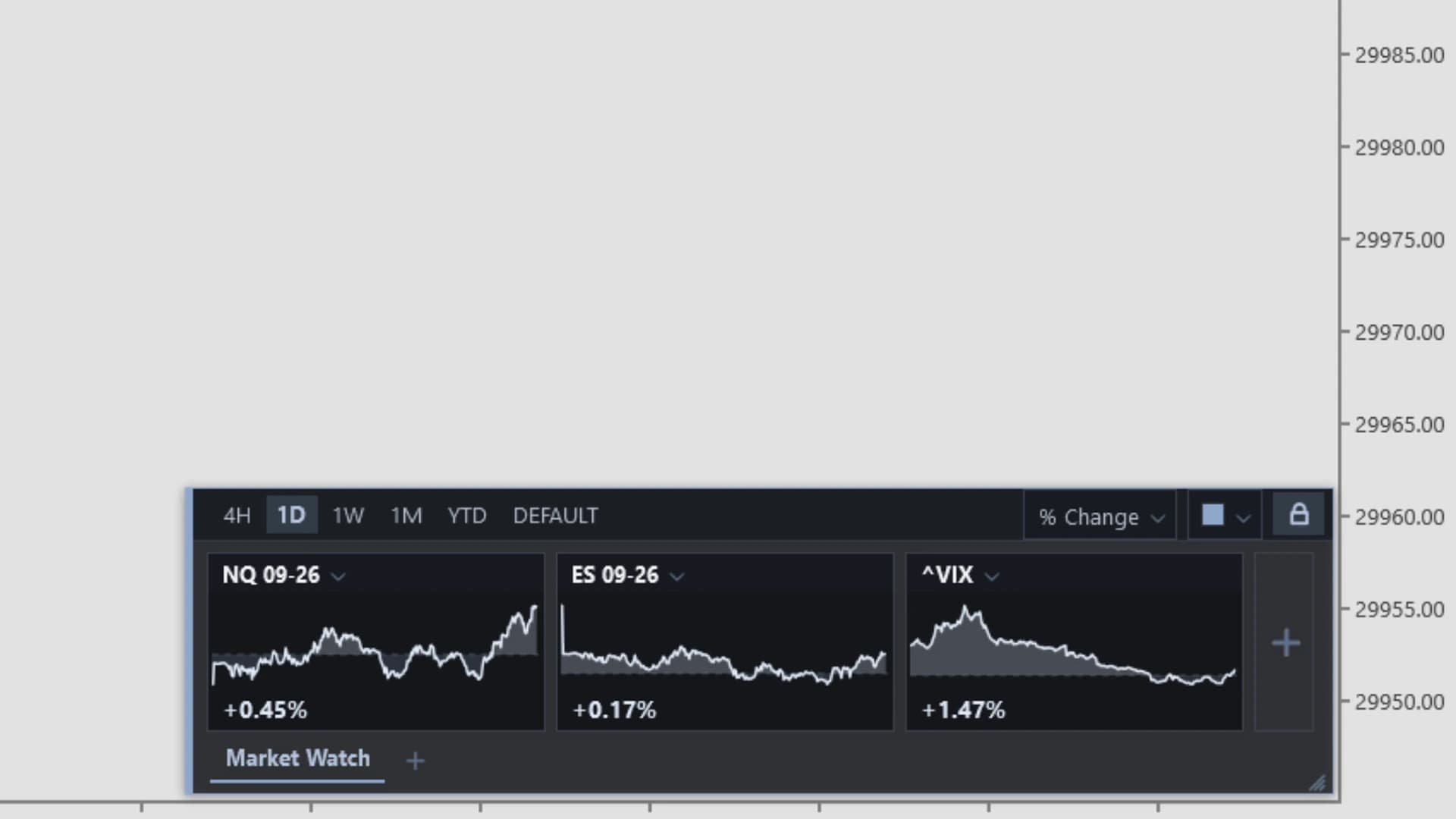
Screening & Dashboard
DS MarketWatch
A floating, draggable market-watch panel of live mini charts on every chart – the on-chart alternative to a second window.
Learn more